
Get the team together for an easier way to group book!
Starting today, you can book activities for anyone linked to your account – no more logging out and back in again to book additional spaces.
What are linked accounts?
Linked Accounts let one person act as the Captain (lead booker and payer) for family members or friends. As the Captain, you can:
- Book activities for linked members.
- Pay for everyone's bookings in one transaction (both members and non members).
- View who's in your linked group (or team).
- Book for linked members, even if you're not taking part yourself.
- Add additional participants to a booking, even if they aren't linked to your account (where applicable).
How to view your linked members in your account
- Log in to your account on our website – please note you cannot link to members and book on the app. If you’re an app user, your account on the website has the same credentials as the app.
- If you’ve forgotten your details, please use the reset using the “Forgotten password?” link.
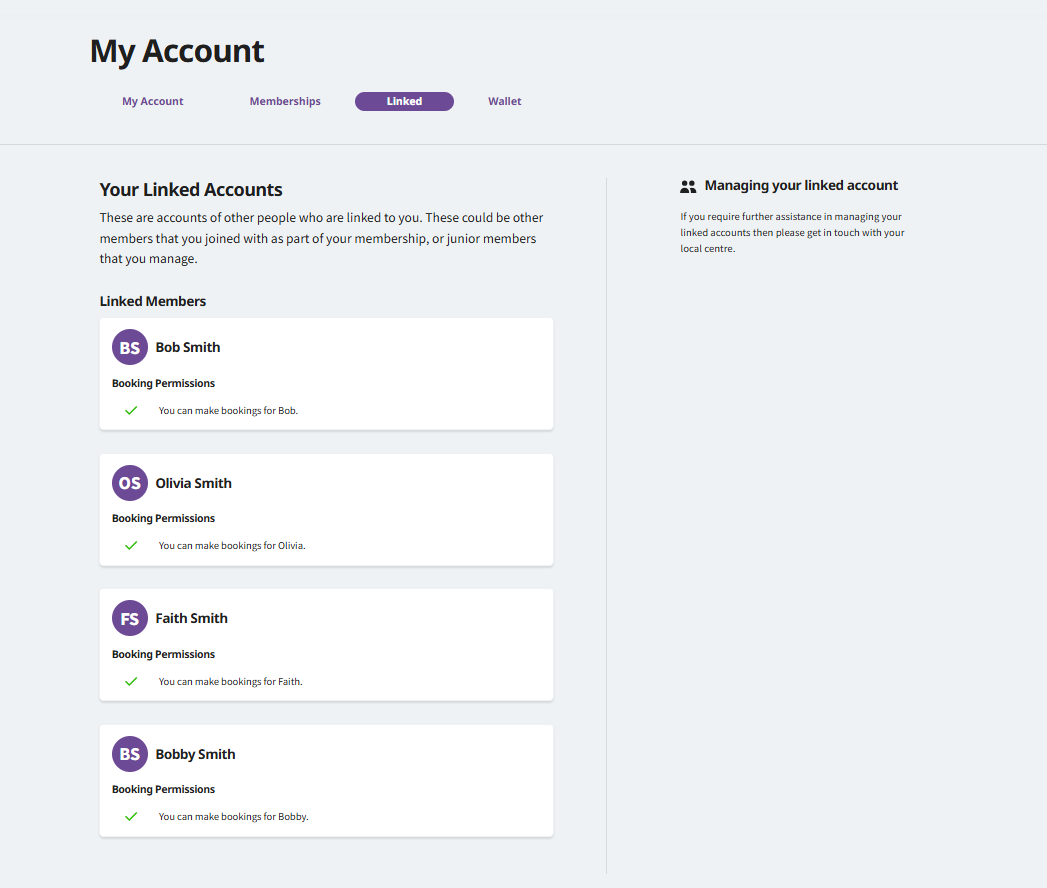
- Go to My Account and select the Linked tab.
- If you already have linked members, you'll see them listed here.
- You can ask a member of our reception team to set up linked accounts for you in centre.
- Please note, linked bookings can only be made via the website at the moment - booking via the app coming soon.
Booking activities
Once your accounts are linked, the Captain can make bookings for everyone in the group.
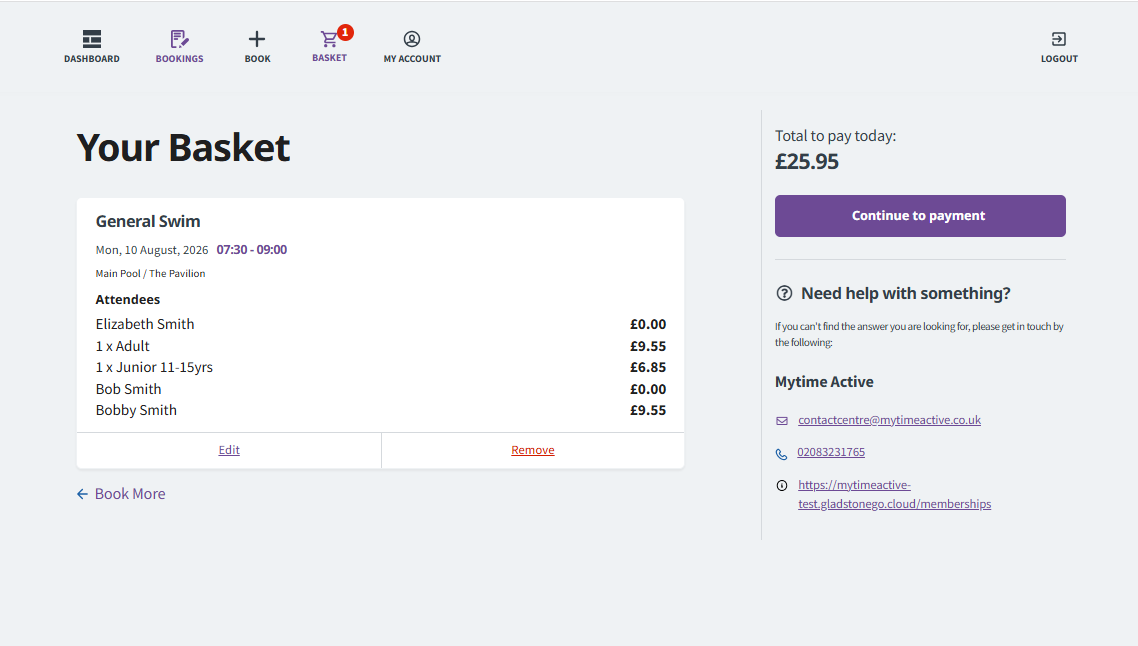
The Captain manages the booking for linked players (members and non members) and pays for the activity in full at the time of the booking.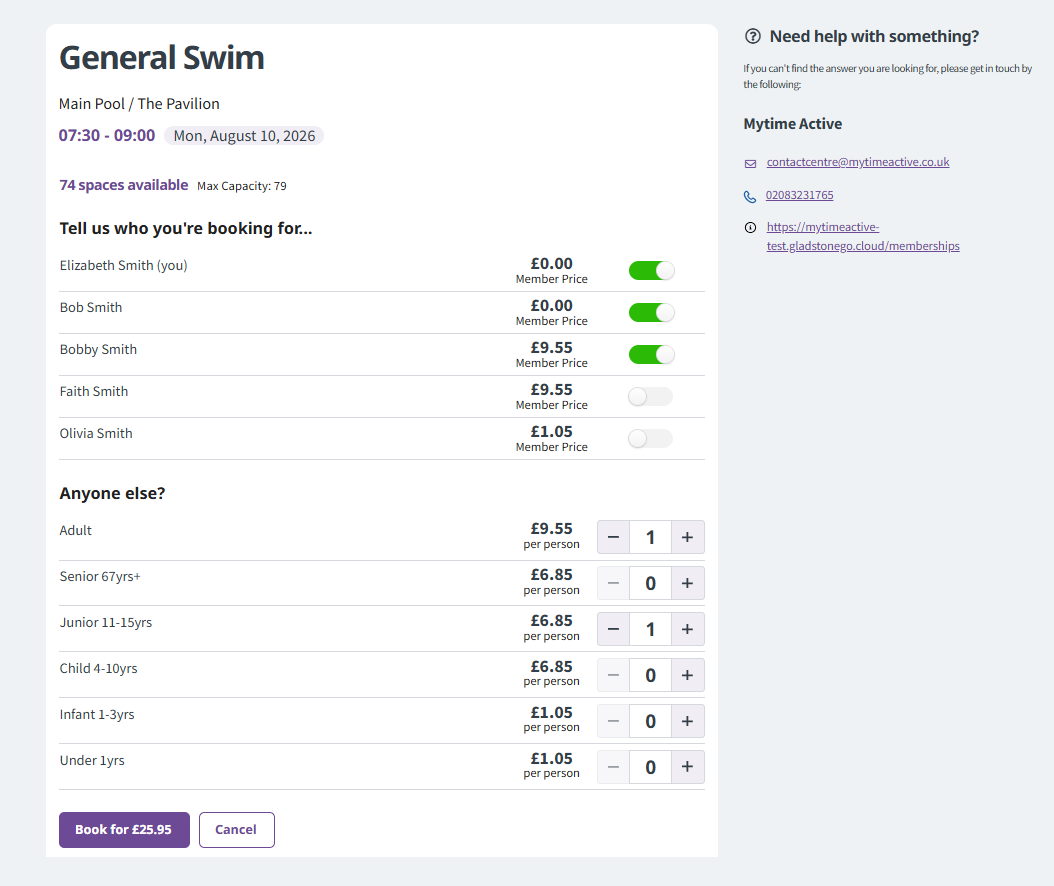
Changing your Captain
If you'd like to change who the Captain (lead booker) is please speak to a member of the reception team. They can update this for you.
Need help?
If you need to reset your password or have any questions about linked accounts, our reception team will be happy to help.